Step 1:
Get access to the indicator: https://cisdmodel.com/
Step 2:
Find your TradingView Username here: https://www.tradingview.com/u/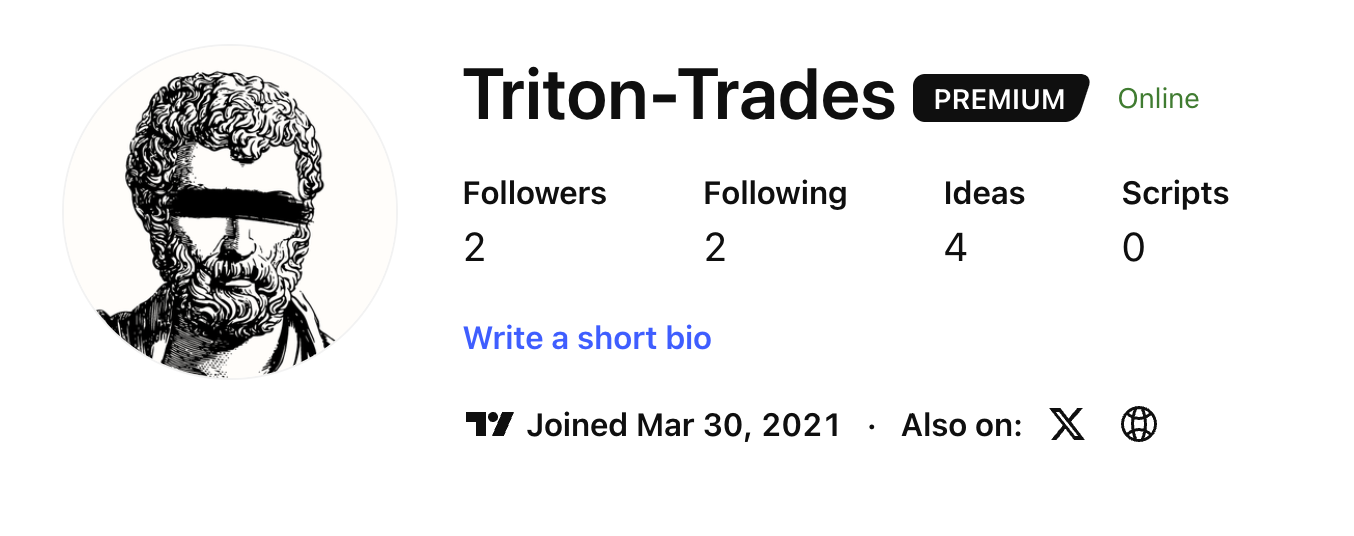
Step 3:
Enter your TradingView Username into the Whop app called CISD Model+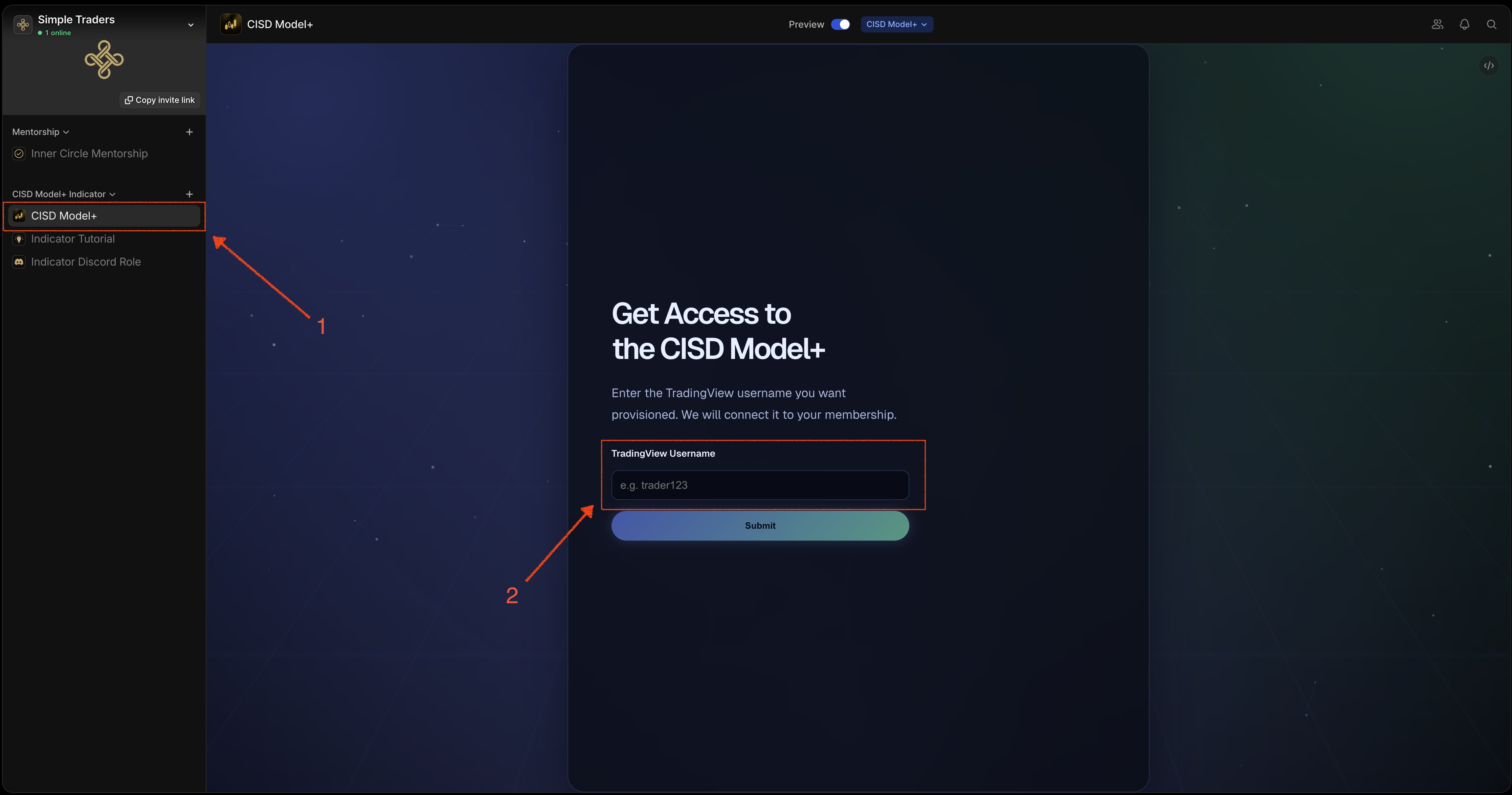
Step 4:
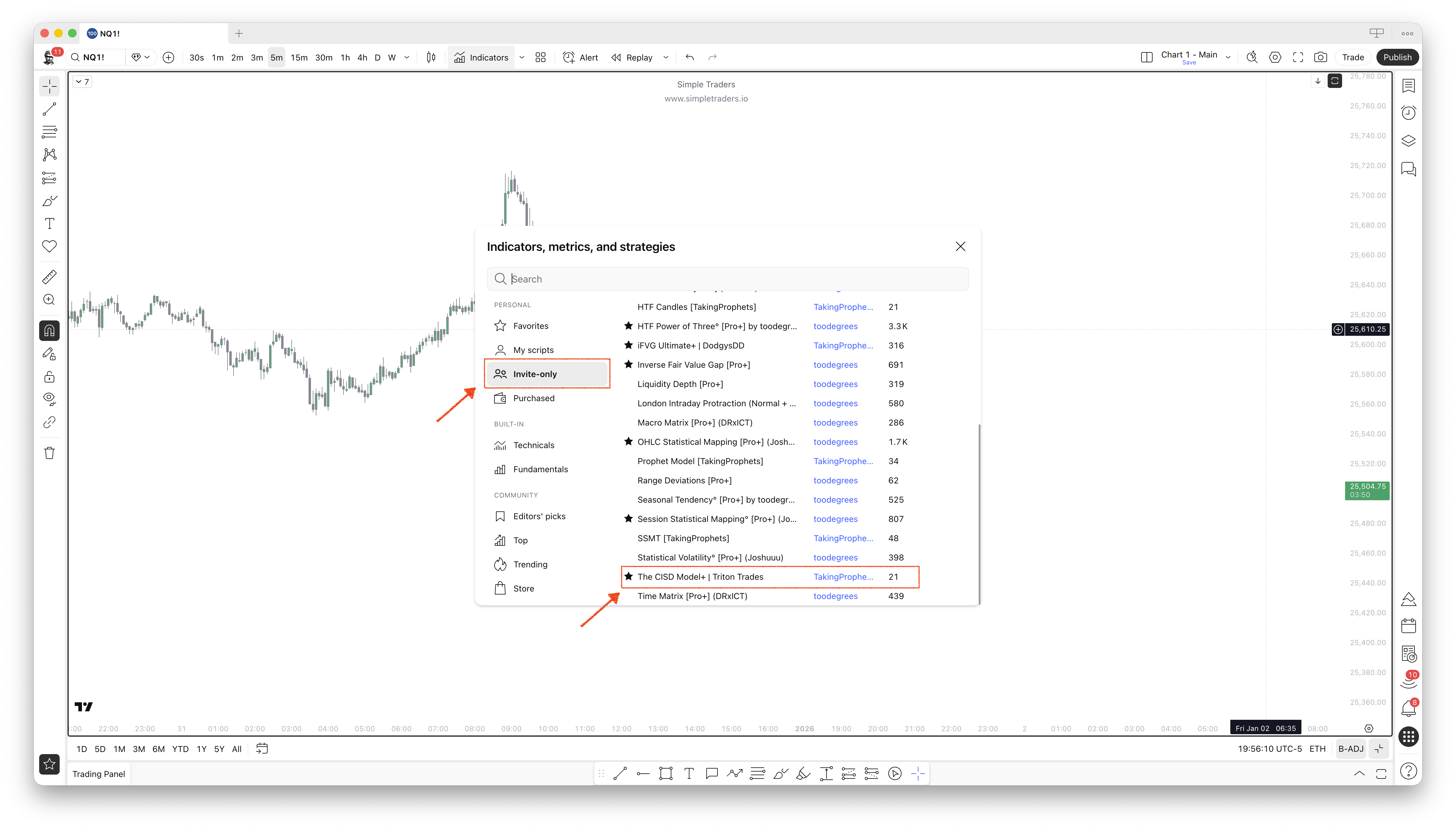
Go to TradingView > Indicators > Invite Only. You’ll get access to two indicators. Click to add them to your charts:- The CISD Model+
- HTF Candles+