> ## Documentation Index
> Fetch the complete documentation index at: https://docs.cisdmodel.com/llms.txt
> Use this file to discover all available pages before exploring further.
# How to Install
### Step 1:
Get access to the indicator: [https://cisdmodel.com/](http://cisdmodel.com/)\
### Step 2:
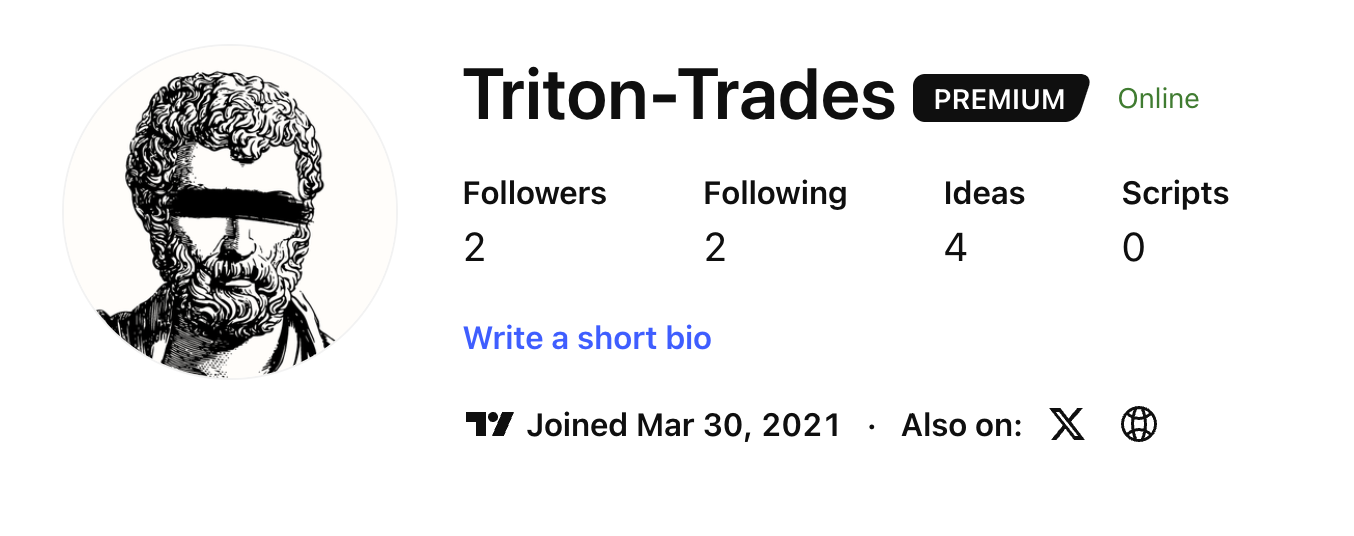
Find your TradingView Username here: [https://www.tradingview.com/u/](https://www.tradingview.com/u/)
### Step 3:
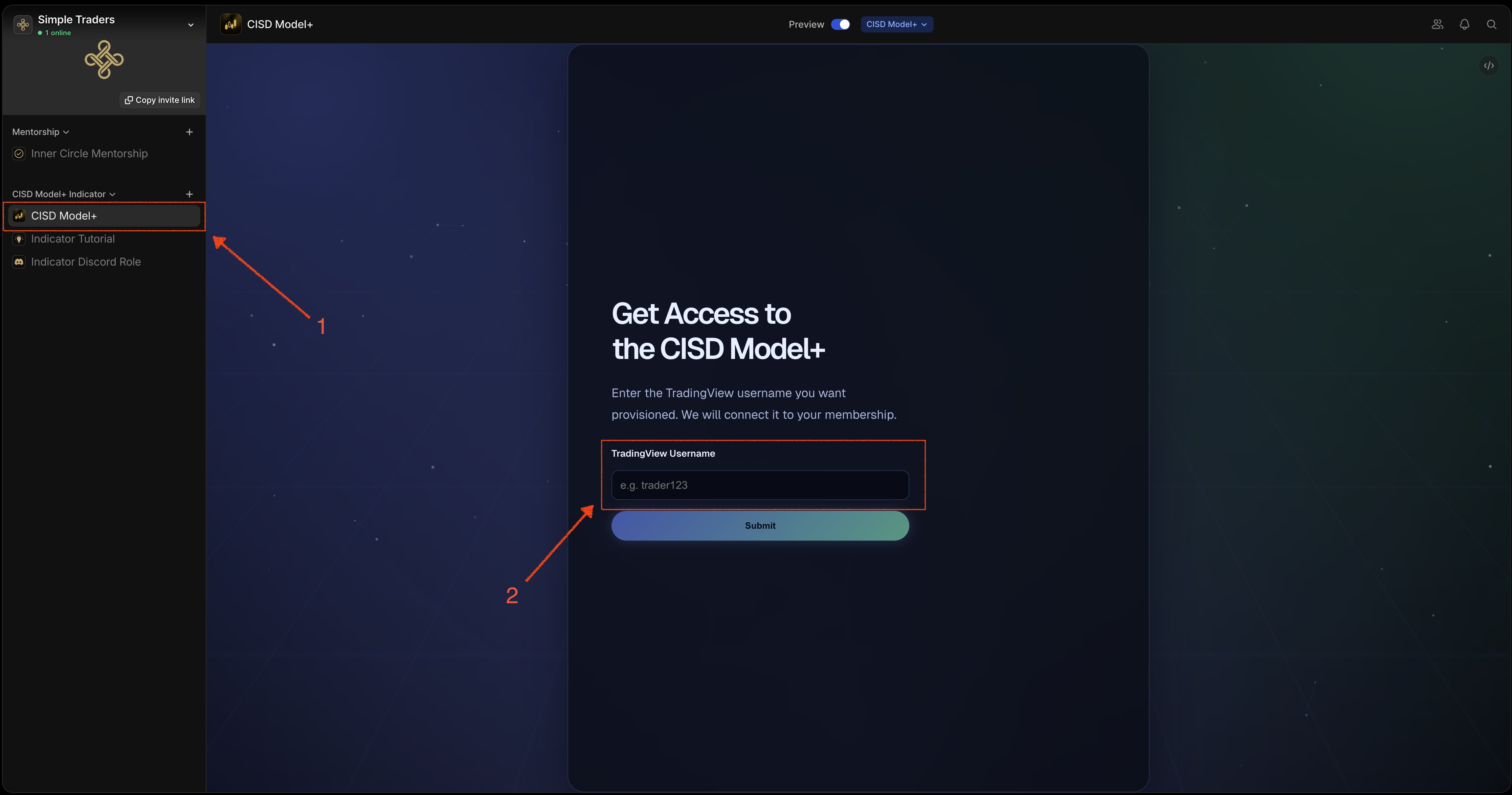
Enter your TradingView Username into the Whop app called **CISD Model+**
### Step 3:
Enter your TradingView Username into the Whop app called **CISD Model+**
### Step 4:
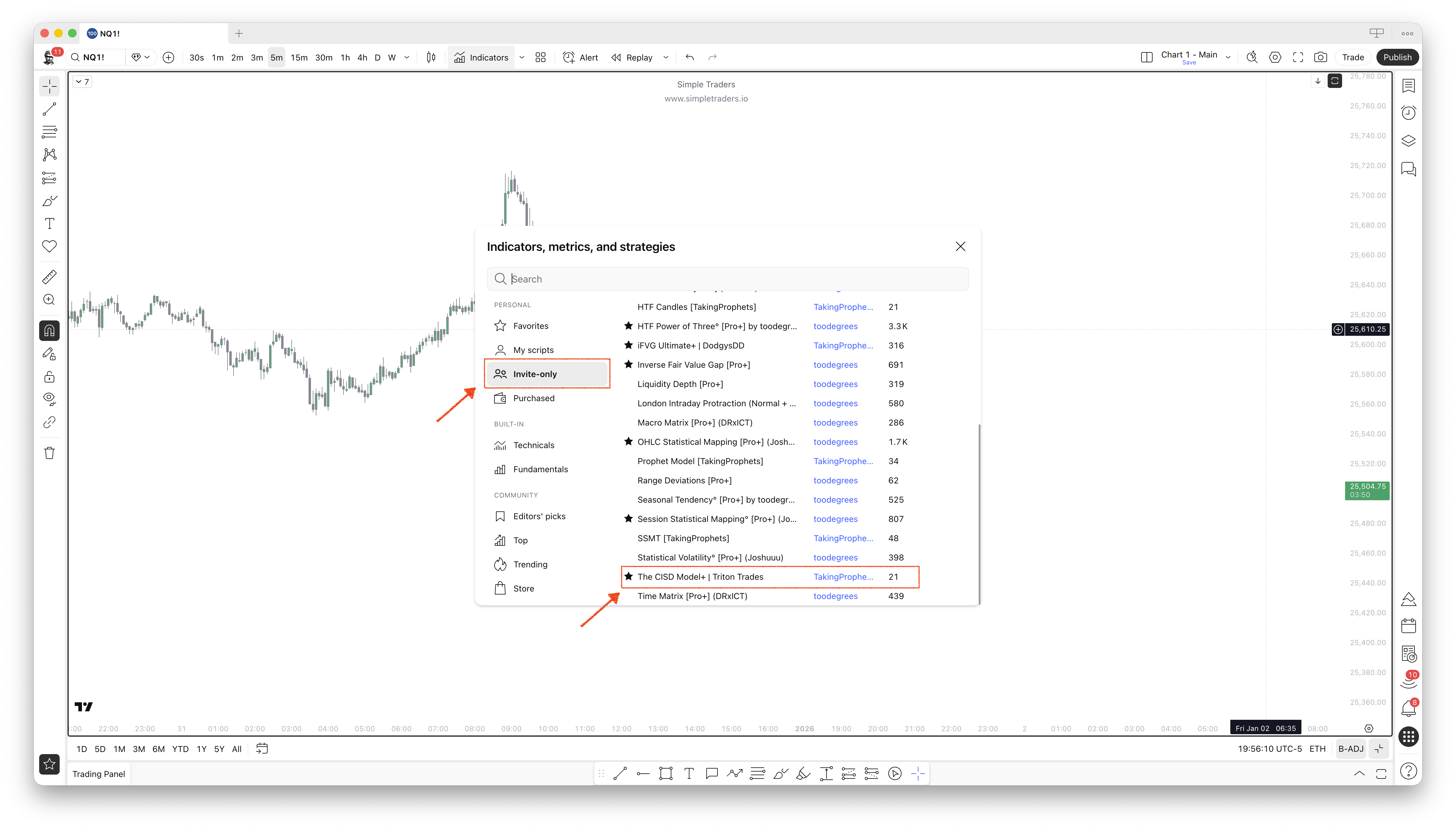
Go to TradingView > Indicators > Invite Only.
You'll get access to two indicators. Click to add them to your charts:
* **The CISD Model+**
* **HTF Candles+**
### Step 4:
Go to TradingView > Indicators > Invite Only.
You'll get access to two indicators. Click to add them to your charts:
* **The CISD Model+**
* **HTF Candles+**